


WebLens Updated
More changes at WebLens ...
Cayole Cruises added to the Travel Bargains page.
Lots of new developments at WebLens right now. We've been twittering up a storm, so we've just launched The WebLens Daily, a handy digest of relevant Twitter posts delivered to your desktop each and every day. Subscribe or follow us on Twitter to stay up to date with tweets relating to Internet and net search news, as well as web design, social media, and SEO and online marketing trends. Updated daily with fresh and timely content, and links to useful resources and interesting and entertaining sites. Drop by today and let us know what you think.
Announcing the brand new WebLens Toolbar. Keep all your favourite resources right at your fingertips, no matter what site you are viewing. Compatible with IE, Firefox, and Chrome, the WebLens Toolbar can be downloaded from any page on the site. It comes loaded with all the WebLens menu contents you've come to know and love, plus loads of extra goodies, like quick links to Facebook, Twitter, local weather, Amazon deals, Groupon, Flixster movies, Travelocity, TripAdvisor, Youtube, and more!
The WebLens Toolbar also includes a radio player and one particularly useful resource — Similar Sites, which displays thumbnails of sites similar to the one you are on. Best of all, the toolbar is fully customizable, with a marketplace of thousands more apps to choose among.
Get it today at our download page.
 Here's one for chocophiles everywhere. Get your daily fix of the sweet treat with Chocomap. This new Canadian web site, sponsored by Ecole Chocolat, uses the Google Maps API to find chocolate shops throughout the world. Using the standard Google Maps interface, you can search geographically then zoom in on a location. Read brief descriptions of chocolate destinations or post your own review. There's lots of other useful information too, including recipes, chocolate e-cards, interviews with top chocolatiers, tips on cooking with chocolate, and background information about the origin and cultivation of the plant that gives us this wonderful food.
 Got an email yesterday from a friend, with a link to an article about recent changes over at Google. Seems the search giant has yet again tweaked its search functionality. Such news always alarms me, as I teach Internet search and this usually means extra work. This time, though, the change is a small one.
According to CBC News, Google is combining its multiple search offerings (web, images, blogs, etc.) into a single "universal search". The change is only evident at Google.com (not the various international flavours of Google) and pretty superficial, from the user's perspective anyway. A few sample images and news search results — if there are any — have been rolled into the web search results list. Google also now offers the ability to narrow by related search.
The various search types (which were displayed immediately above the search field) are now at the top left of your screen. Additional search types are available through a dropdown instead of a link to a separate page and they are reduced in number.
Compare for yourself. Here's Google.com and here's the Canadian variant.
I can't quite see the point of this. But oh well. It's not earth-shattering.
 Just stumbled across this site in my stats this morning, and I can't believe I've missed it up til now. Ms. Dewey is an attractive search assistant from Microsoft, of all places, meant as an experimental interface for MSN search. Played by actress Janina Gavankar, best known for her role as Papi in The L Word, Ms. Dewey debuted in October 2006. She flirts, pouts, and entertains while waiting for your search term, then produces standard MSN search results, annotated with amusing commentary. She makes various random gestures while waiting, producing various props from behind her desk. She got quite frustrated with me, leaning forward to tap on my screen when I had failed to type anything for several seconds.
According to Wikipedia, Ms. Dewey is a viral marketing campaign — Microsoft is not actively marketing the site, but relying on the user community to spread the word. Her responses actually consist of about 600 video clips recorded over several days.
To experience her fully, you'll need the Flash player, as well as a high bandwidth connection. Check her out!
 Searching the Net is not unlike detective work. More often than not, I find myself following a convoluted trail of clues, with success often requiring not so much ingenuity as sheer dogged determination.
A few days ago, for example, I needed to reference a style of art for something I was working on. I could envision several images that I thought typified it. Art from the Soviet era. Larger than life portraits glorifying salt-of-the-earth peasants and stoic workers toiling toward a common good. Scenes from a silent movie: a huge factory wall, cogs and gears conveying the mechanistic, soulless nature of industrialization. But do you think I could remember the name of this evocative art style, or the famous movie in question?
Where to start? I headed for Wikipedia, and typed in art style glorifying russian revolution, and got zero results. Way too specific for Wikipedia (which is an encyclopedia). I headed to Google, and retried the search, changing my query to art style glorifying workers OR labour OR toil. Bingo! That was easy. The very first link was to a Wikipedia article about Socialist Realism. The article was comprehensive, with lots of images, including some great examples of this heavily stylized communist art form. I was part-way home, but still had found nothing about movies.
Back to Google. This time, I tried cinema workers OR toil OR factories OR industrialization. Nothing promising. Changed it to movies workers OR toil OR factories OR industrialization. Jackpot. The fourth hit down referenced Fritz Lang's famous silent movie, Metropolis (1927) the name that had eluded me. Wikipedia again. This time, I typed in Metropolis. Nope. That's just about big cities. Then, I noticed a link labelled for other uses, see Metropolis (disambiguation). I clicked through to a list of other Wikipedia entries for this word. Part way down the page was a link to a detailed page of information about the film. Getting warmer. I had my movie, but was it socialist realism?
Turns out I had it totally wrong. On reviewing the Metropolis wiki entry, I learned that the film's focus on massive architecture, mood, and symbolism was a nod to German Expressionism. The Soviet-era Socialist Realism style of art and the brooding futuristic cinematic treatment in Metropolis are poles apart. And, once again, the Web set me straight.
The Google queries shown above worked because of the boolean OR operator. This operator allows you to instruct Google (or any search engine that supports boolean language) to return documents that match any one or more of the words typed. Without it, Google defaults to a logical "AND" condition, returning pages that contain all the words typed (likely too narrow a result in this case). Here's more on how to use this operator, along with some other strategies to try the next time you find yourself wondering what to search on.
That's it for now. Hope you found these musings useful. As for me, I'm heading over to eBay to pick up a copy of Metropolis.
 One of the challenges of creating a blog that's useful to readers is the default date order of content. Unlike a traditional web site, which is structured thematically by subject, blog articles are posted in chronological order. Once they pass off the index page, posts are grouped in monthly archives where they are also listed chronologically. This presents a big challenge in getting older posts found, especially in Blogger which (unlike Wordpress and some others) doesn't offer a way to categorize posts.
There are, of course, blog search tools like Technorati and others, but I find that the vast majority of my blog traffic still comes from Google, which you might reasonably expect to ferret out old posts based on the user's keyword choices. Unfortunately, however, Google doesn't seem to crawl blogs as deeply as it does traditional web sites (perhaps because of the date structure combined with the abundance of outgoing links on many blog index pages).
I have found that Google indexes posts in a hit or miss fashion. When users search on a topic that has expired, if Google has not captured that specific post, it is likely to direct people to your index page, where the article lived at the time that Google crawled the page.
Determined and/or lucky users may find the post in Google's cache, on an archive page, or through a link from another post. My stats have shown, however, that the majority of people landed on my index page, gave it a quick scan, and headed promptly for greener pastures, never finding what they were searching for.
Fortunately, there is a simple solution: after publishing each new post, take a second to submit the post's permalink directly to Google's Add URL page. I have been doing this for months now, and have seen a massive change in my stats. Fewer users are landing on the index page; the vast majority of people are going directly to the relevant post. Random Bytes is getting read, and people are finding what they need. (Note: for this to work, you need to ensure that you have enabled individual post pages in your blogging software's dashboard.)
Just in case you're wondering, while Google's Add URL page discourages this practice, nowhere does it state that submitting multiple pages from the same site is a policy violation.
And of course, remember that links from other blogs and web sites are still among the most important ways to get found and indexed by Google.
Hope this helps.
 Ever bookmark an interesting or useful blog post, only to return later via your favourites to find it gone? I don't know about you, but I waste an inordinate amount of time hunting around blogs, trying to figure out what tweaked my interest weeks or months earlier.
When I stumble across a post that interests me, I usually tend to just click the Add to Favourites button without even thinking about it. But blog posts eventually disappear from index pages, to be tucked away in an archive. If you have bookmarked a blog's index page instead of a post's permalink (usually found at the bottom of each post), you could have difficulty finding that post again later.
Not to worry. There's an easy fix. Among the properties stored when you add a site to your favourites list (in Internet Explorer anyway) is the date the favourite was created. You can access this by right-clicking on the favourite, and selecting Properties from the pop-out menu. The date created is on the General tab, as seen in the screenshot here. Use that date as a guide to when the post was created or — if it goes back a ways — which archive to search.
I usually find what I'm looking for within a few days of the date the favourite was created. Unless, of course, I've bookmarked a much older blog post.
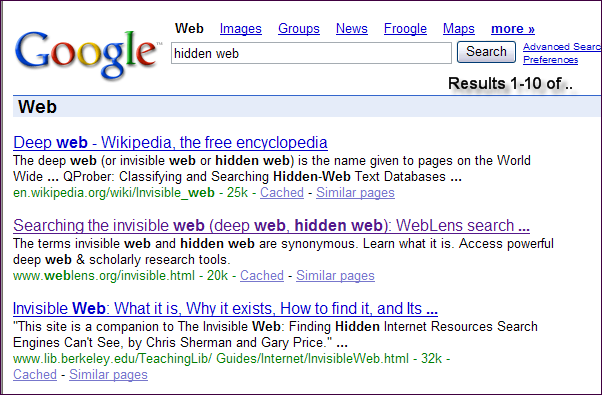 Through a combination of my own neglect and Google's recent Jagger algorithm update, WebLens had pretty much disappeared off the map by last December. Since then, I have been working intensively to resurrect the site and restore its lost Google ranking. During this time, I have plunged deep into the world of search engine optimization. I don't profess to have all the answers, but I have discovered a few things that are worth sharing here.
Though the "experts" vary somewhat, here are approximate guidelines re recommended maximum lengths of various HTML document elements.
One final note: regular updates are important. I paid a steep price for allowing WebLens to languish. With stale content, Google simply stopped coming to supper, some time around July 2005. Getting it back at the table has been a mighty big feat.
 Every once in a while, an idea so original — so brilliant in its simplicity — breaks out of the pack of Digg and del.icio.us clones debuting daily online that you're left wondering how come nobody thought of that before? Keotag is just such a site, offering a unique but obvious twist that may become to social bookmarking sites what Technorati has been to the blogosphere.
(In case you've been living in a cave the last few years, social bookmarking is a Web 2.0 phenomenon. Sites like Digg, del.icio.us, Furl, Raw Sugar, Shadows, Ma.gnolia, and too many more to name here, allow people to create "social networks," whereby they can save, share, tag, rate, and comment on each other's web favourites.)
So, how do you extract value from these sites? I, for one, have no time to spend searching, browsing, or monitoring them all. Enter Keotag. Essentially a social bookmarking metasearcher, this nifty little tool allows you to simultaneously query over a dozen of the top social bookmarking sites on any tag or keyword, finding sites recommended by people rather than produced by search engine algorithms or seo manipulations.
Keotag also offers links and tag generators for several of the more popular social bookmarking sites.
Want more of these sites? These two lists will keep you going for a while:
 Anyone struggling to optimize site content for better search engine positioning will sooner or later have reason to obsess over Google's secretive Page Rank formula, the numerical weighting the search giant assigns pages in order to sequence results. I have long wished there was an easier way to determine page rank than viewing each WebLens page, one at a time, in the Google toolbar. Now there is.
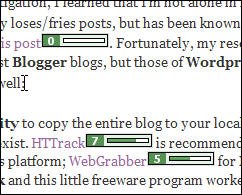
As reported yesterday in SearchEngineWatch, WebMasterEyes is a handy little utility that overlays Google page rank icons on every link in any page viewed onscreen. The result is literally an at-a-glance overview of the page ranks of all pages linked from anywhere. Try it yourself. This one's a keeper!
The only down side is the rather slow response time. But when you think about the job this little tool is doing, it's not an unreasonable wait.
Addendum: Some people claim a page rank of 5 or better is key to getting high placement. But, as SearchEngineWatch observes, "Google PageRank is not the final say in ranking well in Google. Google claims it is used for determining crawl frequency and other ranking aspects. But many SEO professionals have uninstalled the Google toolbar, to make a statement about PageRank's worth."Found this information helpful? Sign up for our feed so you won't miss future postings.
There are a lot of great things you can do with Google, but locating sites that link to you isn't one of them. Links are vital for good standing in the Google SERPs (search results), but Google does not report accurate information about how well linked you are. You can use Google's link: query modifier in front of your domain name, as in link:www.digg.com, but this will only show who is linking to the top level of your domain. In the syntax shown here, for example, Google only reports 25,000 documents linking to Digg.
Worse, Google won't (reliably) identify sites that link to specific pages on a site, something that's vital to know if you're trying to improve results ranking or AdSense revenues. Recently, for example, I wanted to rename a page at WebLens to include a certain keyword, but first I needed to be sure it wasn’t heavily linked to. Google told me the page was a true web orphan — not a single link! Fortunately, there are ways to get more accurate information.
One problem with the Labelr categories solution for Blogger is that you can't link to categories because they're generated on the fly with Javascript. All my postings on Google are in the Search I Google category at left, but I can't build a link to it. So, here's a landing pad for some of the Google tips and tricks I have blogged about to date. Check back often. This list will get longer.
If you have a tip to share, please feel free to post a comment. And if you enjoy these posts, please support Random Bytes with a link from your blogroll. Sign up for our feed to ensure you don't miss future postings on this topic.
Amateur astronomers will be delighted to learn that Google Labs has released a new application, Google Mars, today. A click on today's Google logo will take you to this interesting application, which resembles the Google Maps interface superimposed on the surface of Mars.
Browse the Martian landscape using the zoom or panning controls, or select from among three data views. Elevation provides a colourful relief map, generated from data collected by the Mars Orbiter Laser Altimeter. Visible presents a mosaic of images taken by the Mars Orbiter Camera (MOC); both from NASA's Mars Global Surveyor spacecraft. A third Infrared view is generated from data collected by the Thermal Emission Imaging System (THEMIS) on NASA's Mars Odyssey spacecraft. For more information, see ZDNet's Google Blog.
At one time, most search engines supported the use of a special character called a wildcard. Usually represented by an asterisk (*), wildcards could be used to substitute for different character combinations, allowing you to catch words with variable endings, or to fill in when spelling is uncertain.
In search engines that support wildcard use, typing nutrit*, for example, returns pages containing not only nutrition, but nutritional, nutritionist, nutritious, etc. (This still works in eBay — try typing collect*, for collectible, collectable, collectibles, collectables, collection, etc.)
Google is one of the few search engines to still support wildcard use, though it does so in a unique way. In Google, the asterisk (*) functions as a whole word wildcard, replacing one or more entire words within your query. This makes it a powerful tool for constructing fill-in-the-blank queries. Such queries are handy in a variety of scenarios. Here are some examples:
Take some time to experiment with this humble character. Be sure to express your query as a phrase (i.e. enclose it in double quotation marks) and to construct it in such a way as to prompt Google to fill in the blank.
If you found this tip helpful, please consider linking to Random Bytes. Signing up for our feed will ensure you don't miss future posts.
This falls into the betcha didn't know category. Or maybe you do, if you're a Google junkie like me ...
Besides being the Net's foremost search engine, Google is a math genius. Its handy calculator feature lets you perform quick arithmetic operations. Just click in the Google search field and type your arithmetic statement, using standard spreadsheet operators (+ to add, - to subtract, * to multiply, and / to divide).
Ask Google 4+4/2, for example, and it will dutifully report back 6. (The 6 result is because multiplication and division are performed before addition and subtraction. To change the order of operations, put parentheses around the numbers to be added, as in (4+4)/2. Now Google will respond with 4.)
Have you noticed a change in your Google standing lately? WebLens was among many sites to suffer a nasty clobbering from the latest update of Google's ranking algorithm, code-named Jagger.
This important Google update coincided with a recent re-launch of WebLens, after much work on a new look and feel. I unknowingly published the revised site right around the time that Jagger made its debut. (It was also just before Christmas, which is never a good time to release anything important. What was I thinking!?!)
I watched with mounting bewilderment and dismay as my traffic plummeted and WebLens became virtually unfindable on any of its previously reliable keyword combinations. The site had never had top ranking, but WebLens had, for many years, consistently placed high on several important queries. Now, it was like I had slid right off the map — well, out of Google's universe anyway, despite good use of keywords and careful optimization.
After I calmed down and began to research the issue, I quickly learned about the Jagger update and its impact on the SEO world. A lot of well-established sites took a beating; many dropped steeply overnight. Some, like WebLens, slid into virtual oblivion, unfindable in screen after screen after screen of results.
I began to suspect that my problem was stemming from more than just Jagger. I knew Javascript was an SEO no-no; perhaps the Javascript-intensive nature of the new site was presenting bigger problems for Google than I had expected.
Around this time, I stumbled across an AdSense blog, which recommended Google section targeting as a way to improve ad relevance. This technique involves containing the parts of a page that you wish Google to crawl within a pair of special comment tags.
Would this help Google to bypass the problematic Javascript, I wondered. It took seconds to paste section targets into all my pages and re-submit the site. To my shock, I discovered that my lost ranking was not only restored, but improved, almost immediately. The relevance of the ads served by Google's AdSense program also improved.
Best of all, WebLens' rank in other search engines has also improved — most notably MSN — leaving me wondering whether Google's competitors may be taking these code snippets into account as well.
If you need to boost your Google ranking or Adsense ad relevance, give it a try. Here's how it works:
You can repeat these paired comments as many times as you need to within the document. Just make sure that every opening comment is closed. If you have a lot of pages to do, use your editor's Find and Replace command to speed things up. (Back up first, just in case. I have wept more than once after a careless F&R.)
One caution: Google does warn that you need to include a significant amount of content within the section targeting tags (insufficient content may result in less relevant ads), and that it is against Adsense program policies to use section targeting to emphasize words that are not relevant to the content of your pages.
Whew! More to say on Blogger categories. I have been immersed all day in further refining Daniel Chong Jyh Tar's amazing Blogger category fix, which I have implemented on this site and blogged about twice already.
Dan's workaround is based on Blogger's search feature, which itself derives from Google search syntax. In a previous post, I wrote about how to tweak your query before using Dan's code generator by employing a phrase search (enclose term in double quotation marks) or by brainstorming a list of words separated by Google's OR operator ( I ). This worked, but I still wasn't happy with the results. I have been experimenting further, and have discovered a couple of important things:


