Spread the Word

Site Feed


Powered by FeedBlitz

Subscribe with ...

  • Add this blog to my Technorati Favorites!
  • Subscribe in Bloglines
  • Subscribe in NewsGator Online
  • Subscribe in Rojo
  • Add Random 

Bytes (WebLens Blog) to Newsburst from CNET News.com
  • Add to Google
  • Add to My AOL
  • Subscribe in FeedLounge
  • Add to netvibes

Translate This Post

Burn a Feed

Ping the World

Showing posts with label SEO. Show all posts

Friday, September 08, 2006

Making Old Blog Posts Findable

One of the challenges of creating a blog that's useful to readers is the default date order of content. Unlike a traditional web site, which is structured thematically by subject, blog articles are posted in chronological order. Once they pass off the index page, posts are grouped in monthly archives where they are also listed chronologically. This presents a big challenge in getting older posts found, especially in Blogger which (unlike Wordpress and some others) doesn't offer a way to categorize posts.

There are, of course, blog search tools like Technorati and others, but I find that the vast majority of my blog traffic still comes from Google, which you might reasonably expect to ferret out old posts based on the user's keyword choices. Unfortunately, however, Google doesn't seem to crawl blogs as deeply as it does traditional web sites (perhaps because of the date structure combined with the abundance of outgoing links on many blog index pages).

I have found that Google indexes posts in a hit or miss fashion. When users search on a topic that has expired, if Google has not captured that specific post, it is likely to direct people to your index page, where the article lived at the time that Google crawled the page.

Determined and/or lucky users may find the post in Google's cache, on an archive page, or through a link from another post. My stats have shown, however, that the majority of people landed on my index page, gave it a quick scan, and headed promptly for greener pastures, never finding what they were searching for.

Fortunately, there is a simple solution: after publishing each new post, take a second to submit the post's permalink directly to Google's Add URL page. I have been doing this for months now, and have seen a massive change in my stats. Fewer users are landing on the index page; the vast majority of people are going directly to the relevant post. Random Bytes is getting read, and people are finding what they need. (Note: for this to work, you need to ensure that you have enabled individual post pages in your blogging software's dashboard.)

Just in case you're wondering, while Google's Add URL page discourages this practice, nowhere does it state that submitting multiple pages from the same site is a policy violation.

And of course, remember that links from other blogs and web sites are still among the most important ways to get found and indexed by Google.

Hope this helps.

Thursday, June 22, 2006

Navigating the SEO Maze

Through a combination of my own neglect and Google's recent Jagger algorithm update, WebLens had pretty much disappeared off the map by last December. Since then, I have been working intensively to resurrect the site and restore its lost Google ranking. During this time, I have plunged deep into the world of search engine optimization. I don't profess to have all the answers, but I have discovered a few things that are worth sharing here.

Search Engines Hate Javascript

The need to revitalize WebLens prompted a major site overhaul for improved search engine friendliness (and, not unhappily, a better user experience as well). First up, a painful review of the site's flaws, from a search engine's perspective. Topping the list was way too much Javascript which, I learned, creates obstacles for spiders keen to access and index content.

Suitably diagnosed, WebLens began a series of facelifts, starting with elimination of most of the site's Javascript. Cumbersome scripted stylesheet-swapping was eliminated and the unwieldy Javascript menus were replaced by a CSS design that validates. Search engines don't like Javascript. Eliminating it at WebLens has led to cleaner, stripped down pages that are like candy for spiders and crawlers.

Ad Placement and Format Matters

Happy with the improved functionality of the site, I turned my attention to WebLens' AdSense ads. These are the reason I keep the site, which otherwise produces no revenue. The ads produce paltry payouts and, ironically, I had never bothered to experiment with the formatting or positioning of them within the page. Now I turned my attention seriously to this subject.

Ad Colours

There are all kinds of "experts" out there who claim to know the secret to AdSense success, for $29.95 plus postage. I think it's a matter of trial and error. Find a balance between ads that leap out at the user and those that recede to the point of obscurity. Most "experts" advise formatting ads to blend into site foreground and background colours.

I chose to tone down my ads to match the colour palette of the rest of the site. They are still boxed, but not quite so in your face.

Ad Position

Google maintains a heat zone map that indicates which ad positions on a web page generate best user response. According to this, your ad should be smack dab in the middle of the page. This layout impedes CSS dropdown menus in some browsers (notably Opera, IE 5.00 for PC, and IE/Mac 5.2.3), so I placed my second ad unit vertically down the right edge of the screen.

AdSense lets you create channels to track ad performance, so I created a separate channel for each set of ads. It only took days to confirm that people click the vertical ad units almost 150% more than the horizontal ad units at the top right of each page. Already my ad revenue is heading toward tripling, and we're approaching WebLens' slowest time of year, traffic-wise.

It's All About Keywords

The final chore is the most tedious, and I can find endless excuses to procrastinate. After revising site look and feel, I was faced with re-writing the content of every page on WebLens to make better strategic use of keywords.

Let's be clear: we're not talking about the Pulitzer Prize. This is writing for search engines. It involves loading your text with relevant keywords while simultaneously avoiding keyword stuffing, which can get you penalized. It isn't my idea of fun, but it's probably the most important piece of the puzzle. Here's what I've learned:

  • Google wants content — lots of it. You can't just present pages as excuses to serve AdSense ads. There needs to be significant content to provide context for those ads. (On the theory that quality content is desirable, not just for search engines, but for humans, I am currently seeding the WebLens pages with brief tips relevant to each page's content.)
  • Keywords should be plentiful, but not too plentiful. Aim for a keyword density of no more than 5% per page. Anything over this could be considered spamming the search engines.
  • Keywords should be placed as near the top of the document as possible. Put them at or near the beginning of titles, headings, in paragraph text, and in image alt text.
  • Keywords used in domain names or other parts of a document URL are given high priority by Google. Use keywords as document names, if possible, but be wary of renaming existing documents that may already be heavily linked to. Check first before you rename.
  • Keywords should be unique to each page. Do not use one set of keywords across the entire site. Brainstorm keywords appropriate to page topic, and use them liberally. Online keyword research tools such as SEOBook can help you identify the highest volume and best paying keyword combinations. This is the biggest change I've made at WebLens, and it has paid off royally!
  • Word order is important. Give careful thought to how your users are most likely to search and the order in which they type keywords. Vancouver car rentals produces different results than rental cars in Vancouver. Test various combinations in Google before you build your keyword list. (This is where it's helpful to check which combinations are highest paying.)
  • Section targets can help Google (and possibly other search engines) circumvent problematic third-party code and to flag keyword-rich passages. Though it was time-consuming, integrating these into my pages has been one of the most helpful changes I have made.
  • Strategic links among the documents on your site enhance the user experience by linking to related topics. And, if you're concerned about AdSense revenue, they keep users involved longer and increase the likelihood of click-throughs.
  • Meta tags are not as important as they once were (Google ignores them entirely). Nevertheless, don't eliminate them. Some search engines may still acknowledge them. Place document-specific keywords in your document title, meta description, and meta keywords tag.
  • [Update] And finally, as one reader has reminded me, the best optimized site in the world won't be found if no-one links to it. Link popularity is a primary factor in contemporary search engine ranking. Watch for more on this topic in the near future.

Length Guidelines

Though the "experts" vary somewhat, here are approximate guidelines re recommended maximum lengths of various HTML document elements.

  • Title: 70 to 100 characters max. Bear in mind that Google truncates at 66 characters.
  • Description: 200 to 250 characters max.
  • Meta-Keywords: 100 words or 1,000 characters max.

One final note: regular updates are important. I paid a steep price for allowing WebLens to languish. With stale content, Google simply stopped coming to supper, some time around July 2005. Getting it back at the table has been a mighty big feat.

Wednesday, April 12, 2006

At-a-glance Global Page Rank Info!

Anyone struggling to optimize site content for better search engine positioning will sooner or later have reason to obsess over Google's secretive Page Rank formula, the numerical weighting the search giant assigns pages in order to sequence results. I have long wished there was an easier way to determine page rank than viewing each WebLens page, one at a time, in the Google toolbar. Now there is.

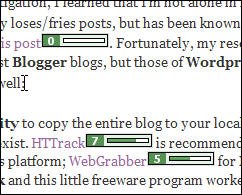
As reported yesterday in SearchEngineWatch, WebMasterEyes is a handy little utility that overlays Google page rank icons on every link in any page viewed onscreen. The result is literally an at-a-glance overview of the page ranks of all pages linked from anywhere. Try it yourself. This one's a keeper!

The only down side is the rather slow response time. But when you think about the job this little tool is doing, it's not an unreasonable wait.

Addendum: Some people claim a page rank of 5 or better is key to getting high placement. But, as SearchEngineWatch observes, "Google PageRank is not the final say in ranking well in Google. Google claims it is used for determining crawl frequency and other ranking aspects. But many SEO professionals have uninstalled the Google toolbar, to make a statement about PageRank's worth."
Found this information helpful? Sign up for our feed so you won't miss future postings.

Friday, March 31, 2006

Find Out Who's Linking to You: What Google Won't Tell You!

There are a lot of great things you can do with Google, but locating sites that link to you isn't one of them. Links are vital for good standing in the Google SERPs (search results), but Google does not report accurate information about how well linked you are. You can use Google's link: query modifier in front of your domain name, as in link:www.digg.com, but this will only show who is linking to the top level of your domain. In the syntax shown here, for example, Google only reports 25,000 documents linking to Digg.

Worse, Google won't (reliably) identify sites that link to specific pages on a site, something that's vital to know if you're trying to improve results ranking or AdSense revenues. Recently, for example, I wanted to rename a page at WebLens to include a certain keyword, but first I needed to be sure it wasn’t heavily linked to. Google told me the page was a true web orphan — not a single link! Fortunately, there are ways to get more accurate information.

Sneak in the Back Door

A posting to the Spider Food boards suggests asking Google for pages that simply mention your site. To do this using the previous example, type www.digg.com -site:www.digg.com. This will show all the documents that mention Digg's url in regular text, excluding Digg itself. Google responds with 272,000 documents, many of which will contain links to Digg. Not a totally accurate indication of backlinks, but more substantial than 25,000.

Turn to Google Rival Altavista

Once the Web’s premier search destination, Altavista lost many of its powersearch features when it was taken over by Overture. It still has one useful function though: it will list sites that link not only to your top page, but to any page you specify. Using the Digg example above, typing link:www.digg.com confirms that 256,000 documents link back to Digg. When queried about my orphan page, Altavista reports that, in fact, it is linked by no less than 32 sites. To query a specific page on your own site, just use the syntax above and append the document name, as in link:www.yoursite.com/page.html. Exclude your own site by adding -domain:www.yoursite.com. (Note the domain (Altavista) versus site (Google) query modifiers.)

Check Your Link Popularity With Who Links To Me

I’ve saved the best for last. If you’re focused on blog links, don’t miss this site. Who Links to Me is a handy metasearcher that produces a quick summary of web sites and blogs that link to you, pulling results from BlogRolling, IceRocket, Technorati, Alexa, Yahoo, and MSN Search. Results are far more comprehensive than those produced by Google's link: modifier, and it even displays your Google page rank. Drawback: it won’t find links to specific pages, but you have Altavista for that.


I hope you find these suggestions helpful, and if you have a tip to share, please drop a comment here. If you enjoy these posts, please support Random Bytes with a link from your blogroll. Sign up for our feed to ensure you don't miss future postings on this topic.

Thursday, March 30, 2006

Google Tips & Tricks

One problem with the Labelr categories solution for Blogger is that you can't link to categories because they're generated on the fly with Javascript. All my postings on Google are in the Search I Google category at left, but I can't build a link to it. So, here's a landing pad for some of the Google tips and tricks I have blogged about to date. Check back often. This list will get longer.

If you have a tip to share, please feel free to post a comment. And if you enjoy these posts, please support Random Bytes with a link from your blogroll. Sign up for our feed to ensure you don't miss future postings on this topic.

Sunday, January 29, 2006

Restore Lost Google Ranking with Section Targeting

Have you noticed a change in your Google standing lately? WebLens was among many sites to suffer a nasty clobbering from the latest update of Google's ranking algorithm, code-named Jagger.

This important Google update coincided with a recent re-launch of WebLens, after much work on a new look and feel. I unknowingly published the revised site right around the time that Jagger made its debut. (It was also just before Christmas, which is never a good time to release anything important. What was I thinking!?!)

I watched with mounting bewilderment and dismay as my traffic plummeted and WebLens became virtually unfindable on any of its previously reliable keyword combinations. The site had never had top ranking, but WebLens had, for many years, consistently placed high on several important queries. Now, it was like I had slid right off the map — well, out of Google's universe anyway, despite good use of keywords and careful optimization.

After I calmed down and began to research the issue, I quickly learned about the Jagger update and its impact on the SEO world. A lot of well-established sites took a beating; many dropped steeply overnight. Some, like WebLens, slid into virtual oblivion, unfindable in screen after screen after screen of results.

I began to suspect that my problem was stemming from more than just Jagger. I knew Javascript was an SEO no-no; perhaps the Javascript-intensive nature of the new site was presenting bigger problems for Google than I had expected.

Around this time, I stumbled across an AdSense blog, which recommended Google section targeting as a way to improve ad relevance. This technique involves containing the parts of a page that you wish Google to crawl within a pair of special comment tags.

Would this help Google to bypass the problematic Javascript, I wondered. It took seconds to paste section targets into all my pages and re-submit the site. To my shock, I discovered that my lost ranking was not only restored, but improved, almost immediately. The relevance of the ads served by Google's AdSense program also improved.

Best of all, WebLens' rank in other search engines has also improved — most notably MSN — leaving me wondering whether Google's competitors may be taking these code snippets into account as well.

If you need to boost your Google ranking or Adsense ad relevance, give it a try. Here's how it works:

  • Open the page you wish to optimize and locate the text you wish to emphasize
  • Paste <!-- google_ad_section_start --> before the words or passage
  • Paste <!-- google_ad_section_end --> after the passage
  • Save the page and re-submit to Google

You can repeat these paired comments as many times as you need to within the document. Just make sure that every opening comment is closed. If you have a lot of pages to do, use your editor's Find and Replace command to speed things up. (Back up first, just in case. I have wept more than once after a careless F&R.)

One caution: Google does warn that you need to include a significant amount of content within the section targeting tags (insufficient content may result in less relevant ads), and that it is against Adsense program policies to use section targeting to emphasize words that are not relevant to the content of your pages.